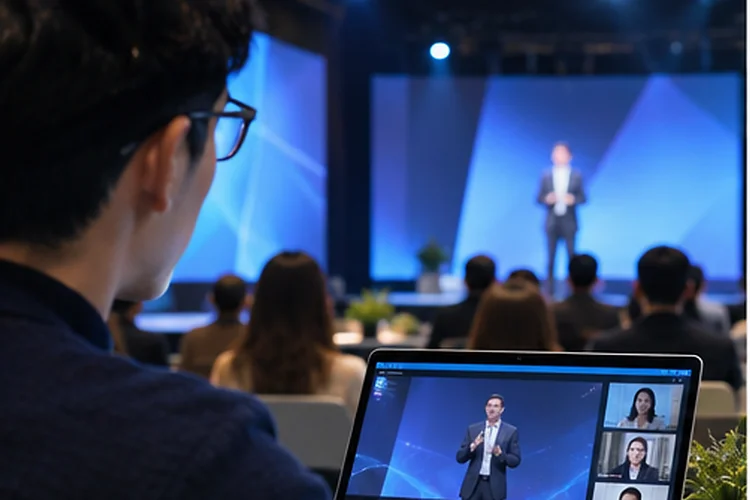
Picture a conference where the room erupts with laughter while the online audience hears only muffled noise. A presenter points at a slide, answers a question from the front row, and moves on before anyone watching remotely can react.
The livestream technically works, but the experience doesn’t. Designing Shared Experiences means planning an event around everyone’s ability to see, hear, contribute, and connect.
Remote guests don’t need an identical version of every hallway conversation. They need a complete, thoughtful journey that makes them participants rather than spectators.
Begin With One Audience, Not Two Tiers
A common hybrid-event mistake is designing an exciting physical program first and adding a streaming link afterward. Start instead with a shared list of outcomes: learn something useful, ask a question, meet someone, and access the materials.
Map Both Journeys Side by Side
For each agenda item, write down what a person in the venue can do and how someone at home can achieve the same purpose. If an onsite attendee can talk to a sponsor after a demo, provide remote guests with a live appointment option.
Microsoft Research’s hybrid meetings guide warns that remote participation can carry disadvantages, especially when the people in a room have side conversations. Treat this as a design constraint, not a problem to solve with a welcome message.
Design the Stage for Everyone
Remote participants rely on deliberate camera framing and clean audio because they cannot turn their heads toward a speaker. Put audience questions through a microphone so a livestream doesn’t become a series of inaudible answers.
Microsoft recommends planning camera placement and room audio. During rehearsal, watch the feed on a laptop rather than relying on the production monitor. If a chart is unreadable or a speaker disappears offscreen, change the setup before doors open.
Build a Remote-First Viewing Check
Ask a team member to join over an ordinary home connection with headphones. Can they identify who’s speaking, follow the slides, and hear the audience clearly? Fix the basics before adding decorative overlays or complicated camera transitions.
Unify Questions, Polls, and Shared Work
Nothing signals second-class status faster than a host saying, “We’ll take online questions if there’s time.”
Give everyone access to the same question queue, with consistent moderation rules and a clear moment for responses. A shared poll also puts onsite and remote opinions into one visible result.
Google recommends providing several feedback options. For workshops, move exercises to a digital whiteboard or shared document instead of leaving remote guests staring at a physical flip chart. Let each participant contribute without needing to be in the room.
For example, a product summit might ask all 300 participants to rank upcoming features on their phones. The presenter can discuss the combined results instead of treating the online vote as an afterthought.
Protect Access Across Devices and Abilities
A shared experience falls apart when the controls only work on a powerful desktop or when the speaker’s words are inaccessible. Provide captions, keyboard navigation, readable text, and player controls that function on mobile screens.
W3C’s media accessibility guidance recommends planning captions, transcripts, and descriptions of visual information from the beginning.
That means presenters should explain important charts aloud, not merely say, “As you can see here.” Publish accessible recordings afterward so a missed moment doesn’t become lost information.
Check the entire path, from registration to replay. An accesible player cannot compensate for an unusable sign-in form, and a great stream doesn’t help someone who cannot find the join button.
Assign Hosts to Both Sides of the Room
A stage host is usually busy with timing, speakers, and the energy in front of them. Give a second facilitator ownership of the remote chat, technical questions, and raised hands. This person should have a direct channel to the stage team, not just permission to type polite replies.
FDA guidance emphasizes shared tools and clear audio. Build on that by scheduling regular handoffs: “Here’s a question from our online audience.” Those planned pauses make remote contributions visibile without interrupting the event’s rhythm.
Create a simple escalation plan for connection issues, stalled polls, and delayed captions. Clear responsibilities are more useful than expecting one overworked host to notice everything.
Test the Experience From the Remote Seat
Before launch, run a rehearsal that mirrors the full attendee journey: registration, reminder email, livestream, Q&A, breakout, and replay. Have somebody outside the organizing team attempt each task without instructions.
Their confusion will reveal gaps that feel invisible to the people who built the platform.
Measure whether questions were answered, how long recordings took to appear, and how remote guests rated their ability to participate.
Review onsite feedback alongside it instead of comparing raw applause to chat volume. Treat reliability and inclusion as seperate goals worth checking.
Designing Shared Experiences isn’t about making a screen feel exactly like a conference hall. It’s about protecting equal opportunities to learn, speak, and connect across locations.
Start with shared outcomes, build reliable production and accessible tools, then rehearse from the remote seat. Audit your next hybrid session and redesign moments where online guests are only watching.