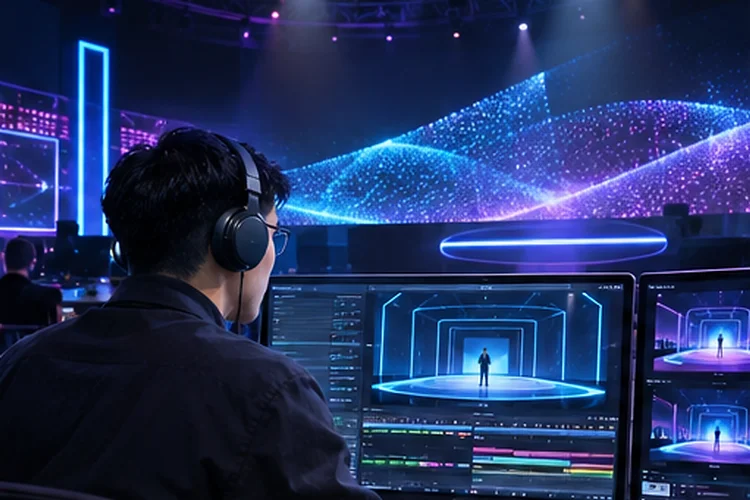
A virtual stage can look amazing in a promotional video and still struggle when the actual event begins. Animated backgrounds, changing camera angles, audience reactions, and live presenters all compete for rendering resources.
One poorly timed effect can turn an exciting reveal into an awkward pause. Designing Real-Time Graphics Pipelines is about making these elements work together without sacrificing responsiveness.
Instead of treating every visual effect as an isolated feature, developers build a coordinated system that processes interaction, updates the scene, and delivers consistent frames.
The goal is straightforward: impressive visuals that remain dependable during unpredictable live performances.
Understand the Complete Rendering Journey
An interactive virtual stage involves more than drawing attractive objects on a screen. The system receives input from presenters, production software, audience devices, or motion-tracking equipment before turning that information into updated visuals.
A typical graphics pipeline processes scene logic, prepares rendering commands, executes GPU operations, and delivers completed frames to a display or video encoder. Problems can appear anywhere along this path.
Connect Inputs to Predictable Outputs
Imagine a presenter triggering a floating product model during a livestream. The control signal must reach the application, activate the correct animation, and update the rendered scene without interrupting other visual elements.
Keep input processing seperate from expensive rendering operations. Event queues, clear update priorities, and predictable state changes make the system easier to manage when several cues arrive together.
Organize Rendering Passes for Better Efficiency
Every visual effect introduces work for the GPU. Shadows, reflections, transparent surfaces, particles, and post-processing may require additional rendering passes or intermediate textures.
Rather than adding effects without considering their combined cost, organize the pipeline around shared resources and necessary outputs. Reusing suitable buffers and avoiding redundant operations can reduce memory traffic.
Unity’s documentation on optimizing render graphs recommends merging or reducing unnecessary passes. This approach is particularly useful when multiple effects request similar image data.
For example, an animated virtual studio might use one shared depth resource for several effects instead of repeatedly generating equivalent information. The exact optimization depends on the rendering engine, but the principle remains the same.
Establish a Realistic Frame Budget
Smooth animation depends on consistent frame delivery, not simply a high average frame rate. A stage targeting 60 frames per second has approximately 16.67 milliseconds available for each frame, while 30 FPS allows around 33.33 milliseconds.
That budget must accomodate scene updates, rendering, and relevant synchronization overhead. Streaming and display systems can add further delays outside the core render time.
Protect Performance Headroom
Suppose a virtual concert runs at 60 FPS during rehearsal, but GPU work regularly reaches 16 milliseconds. Adding audience-triggered particles or a second camera view could push certain frames beyond the target.
Measure demanding moments and leave room for unexpected activity. Unreal Engine’s performance profiling documentation emphasizes examining CPU and GPU workloads rather than relying on frame rate alone.
A slightly simpler scene that remains stable is often more convincing than an elaborate environment that stutters during important transitions.
Prepare Scene Assets Before They Appear
Virtual stages frequently switch between environments, presenters, branded graphics, and animated objects. Loading heavy textures or compiling shaders during those transitions may create visible pauses.
Prepare important assets before their scheduled appearance. Use appropriate level-of-detail models, shared materials, and controlled texture memory to keep the rendering workload manageable.
Consider a technology keynote with three virtual product demonstrations. The next scene can be prepared while the current presentation continues, provided memory limits allow it.
Developers should also avoid keeping every possible asset permanently active. The better strategy is to understand which resources are needed soon and release unused content when safe.
Synchronize Multiple Displays and Cameras
A single-screen virtual event is relatively simple compared with a stage surrounded by LED walls. Multiple rendering machines may need to produce coordinated images across different display surfaces.
Epic Games’ nDisplay documentation explains how synchronized clusters help maintain consistent rendering across multiple computers. Techniques involving timecode, genlock, and framelock become important in professional production environments.
Without accurate synchronization, adjacent screens may present slightly different moments, creating visibile discontinuities. Similar issues can affect camera recordings when the display and capture equipment operate on incompatible timing.
Test the complete signal path, including rendering nodes, display processors, cameras, and video infrastructure. Correct timing cannot be guaranteed by the graphics engine alone.
Profile Performance During Realistic Show Conditions
Optimization should happen under conditions that resemble the actual broadcast. A quiet test scene rarely exposes the problems caused by simultaneous effects, rapid transitions, and multiple active camera feeds.
Tools such as Unreal Insights and RenderDoc help developers inspect processing time and graphics operations. Capture demanding moments to identify expensive shaders, unexpected resource uploads, and synchronization delays.
Build repeatable performance tests around important production cues. A scene transition that works once should also work reliably after repeated activations.
Finally, define fallback graphics settings before opening night. If rendering performance becomes unstable, reducing particle density or reflection quality can be safer than allowing the whole experience to freeze.
Test these fallbacks beforehand becuase changing quality settings during a live broadcast can introduce its own problems.
Designing Real-Time Graphics Pipelines requires careful coordination between input processing, GPU workloads, asset management, and display synchronization.
Strong architecture keeps interactive virtual stages visually engaging without compromising stability. Start by measuring your most demanding scenes, define realistic frame budgets, and identify unnecessary rendering costs.
Then refine the pipeline until every important stage transition feels smooth, predictable, and ready for live production.