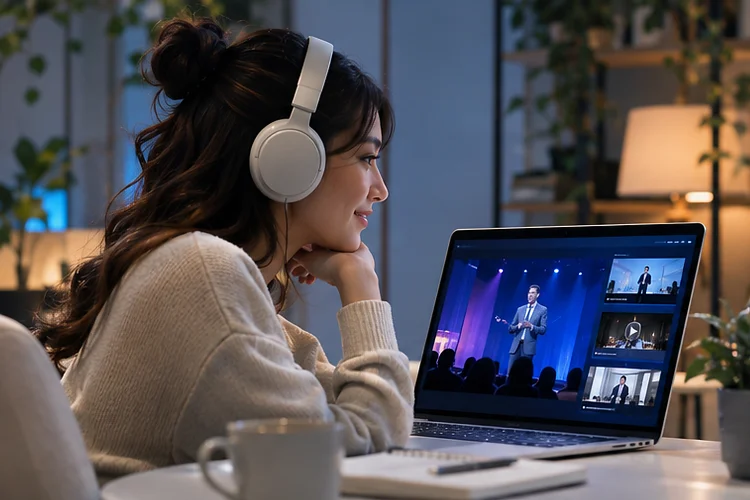
A virtual event should not disappear the moment the final speaker signs off. Some attendees want the excitement of live discussions, while others need the freedom to watch later between meetings or across time zones.
That creates a tricky challenge for event organizers and developers alike.
Designing Event Platforms around synchronous and on-demand content means treating both experiences as essential, rather than making recordings an afterthought.
With the right architecture, audiences get timely interaction, dependable playback, and useful content long after the original broadcast ends.
Understand the Two Different Viewing Modes
Live sessions are synchronous experiences where everyone follows roughly the same schedule. They’re ideal for product announcements, audience voting, expert panels, and questions that benefit from immediate responses.
On-demand viewing works differently. Participants can pause a presentation, skip familiar sections, or return to a useful demonstration whenever they like.
A strong event platform must preserve the value of both modes without making people navigate two disconnected products.
Design Around Intent, Not Just Video
Start by mapping what users actually need to do. A live viewer might want a countdown, a speaker profile, and moderated chat, while a replay viewer may prefer searchable chapters, speed controls, and downloadable resources.
Keep session titles, descriptions, speakers, and access permissions consistent across both journeys. These shared records become the foundation of a reliable content management system.
Build a Resilient Live Streaming Pipeline
An excellent interface cannot rescue a stream that freezes during the keynote. Live video typically moves from an encoder through packaging services to a content delivery network, or CDN, before reaching the audience.
Adaptive bitrate streaming lets the player adjust picture quality as network conditions change. Formats such as HLS and MPEG-DASH support this approach, so someone on a weaker mobile connection can continue watching instead of repeatedly buffering.
Plan for Failure Before Launch
Use redundant ingest paths when the event is business-critical, and test playback on phones, laptops, and slower connections. Check what happens when a speaker drops offline or a CDN endpoint becomes unavailable.
For example, a conference expecting 10,000 simultaneous viewers should rehearse realistic traffic patterns rather than testing with only a handful of employees. Capacity plans should also account for chat, authentication, and polling requests, not simply video bandwidth.
Make Live-to-On-Demand Conversion Automatic
Recording every session is useful, but moving files manually is slow and error-prone. A better workflow captures the broadcast, stores the approved recording, and begins processing as soon as the session ends.
AWS MediaPackage documents a live-to-VOD workflow that extracts stream segments into assets stored in Amazon S3. Whatever technology you choose, the important principle is to build this conversion into the platform itself.
Add clear publishing states such as recorded, processing, reviewing, and published. That prevents an unfinished video from appearing in the library before captions, permissions, or sensitive remarks have been checked.
Create One Content Library for Every Format
Imagine attending a three-day summit with dozens of sessions. Users should not need to remember which day a talk happened just to find a practical tutorial.
Organize recordings using topic, presenter, difficulty, duration, and language. Add transcripts and chapters so viewers can jump directly to relevant explanations instead of scrubbing through a full hour.
Store metadata seperately from the video file so that search, recommendations, and future migrations remain manageable. A consistent session identifier also helps connect live attendance with later replay activity.
Treat Accessibility and Security as Core Features
Accessibility should work before, during, and after the broadcast. W3C guidance explains that prerecorded video needs captions at WCAG Level A, while live video captions are required at Level AA when the relevant audio information is present.
Provide keyboard-friendly navigation, readable contrast, and transcripts that can be corrected after publication. Test these features in real viewing enviroments, not only in a design prototype.
Security requires equal attention. Use authenticated access for private events, permission checks for recordings, and expiration rules for sensitive files. A participant who can watch a live session should not automatically gain permanent access to every replay.
Measure Performance Across the Entire Content Lifecycle
Traditional attendance counts tell only part of the story. Track player startup failures, buffering, live peak concurrency, recording publication delays, and replay completion rates.
Google Analytics supports custom events, which can help measure actions such as opening a replay or finishing a session. Define the metrics carefully so an autoplay preview is not mistaken for an intentional view.
Compare live and on-demand behavior carefuly, because the two viewing modes serve different goals. Teams should review the results after each event and prioritize fixes that improve the next experience.
Designing Event Platforms successfully means connecting live interaction with a dependable, searchable replay experience.
Resilient delivery, automatic recording workflows, accessibility, and meaningful analytics help each session serve more people over time.
Before your next launch, map the entire journey from registration to replay and identify one technical improvement that will make every event easier to attend.